

Add USDT (TRC20)
-
To add USDT TRC20 tokens to your TronLink wallet, you need to import the tokens created by WickiePay by adding the smart contract to your wallet.
-
You can head to https://nile.tronscan.org/ and make sure your TronLink wallet is connected.
Select "connect wallet" on the top right.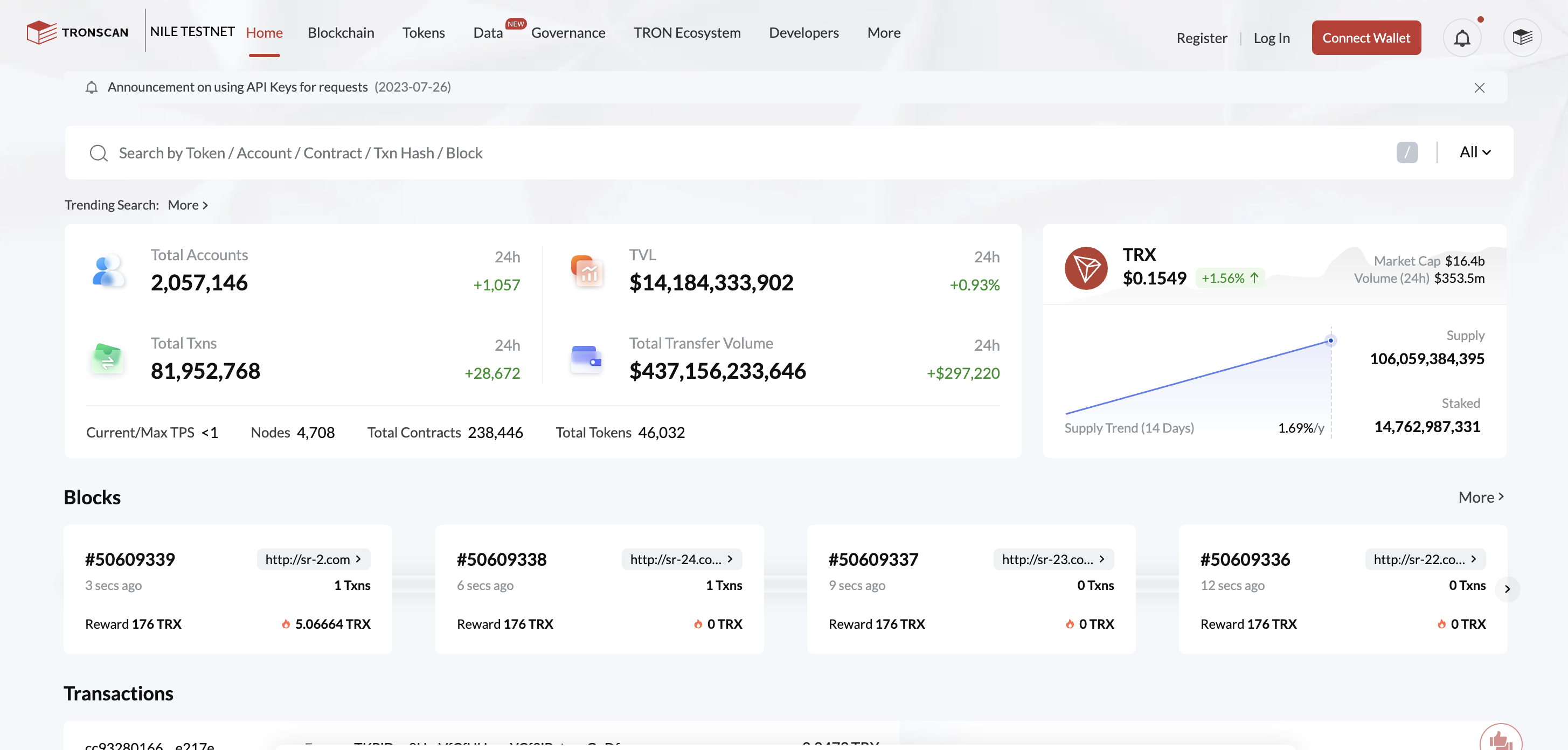
-
Once your TronLink wallet is connected, add this contract address to the search bar:
TY1DBj7Ys1bDcK37kwATaQpHxdTCnYrr1f.
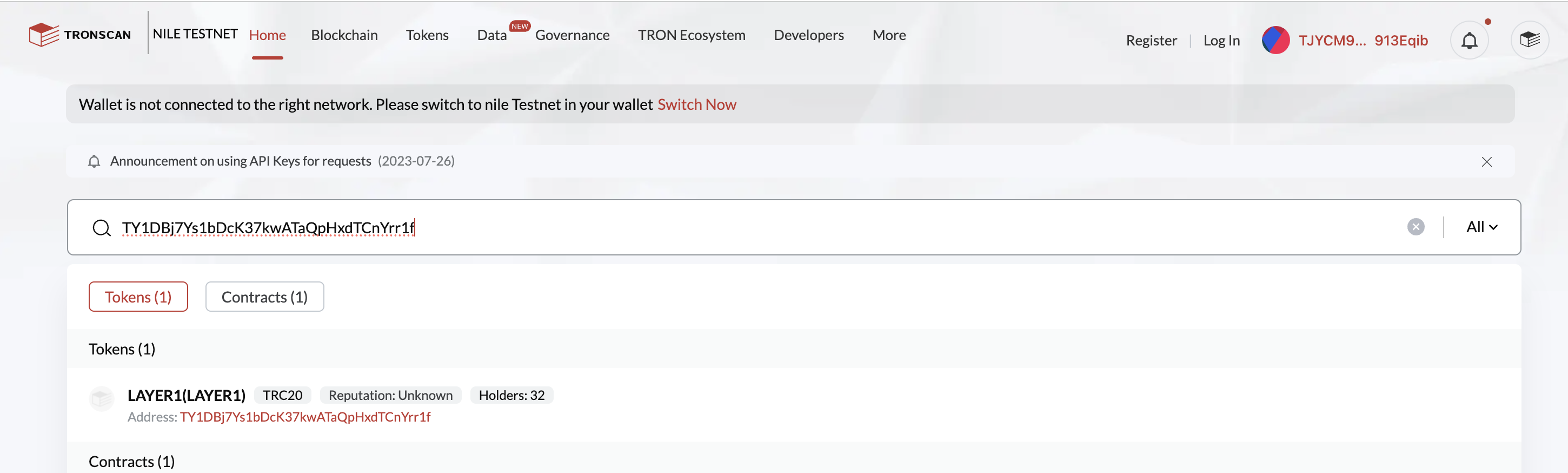
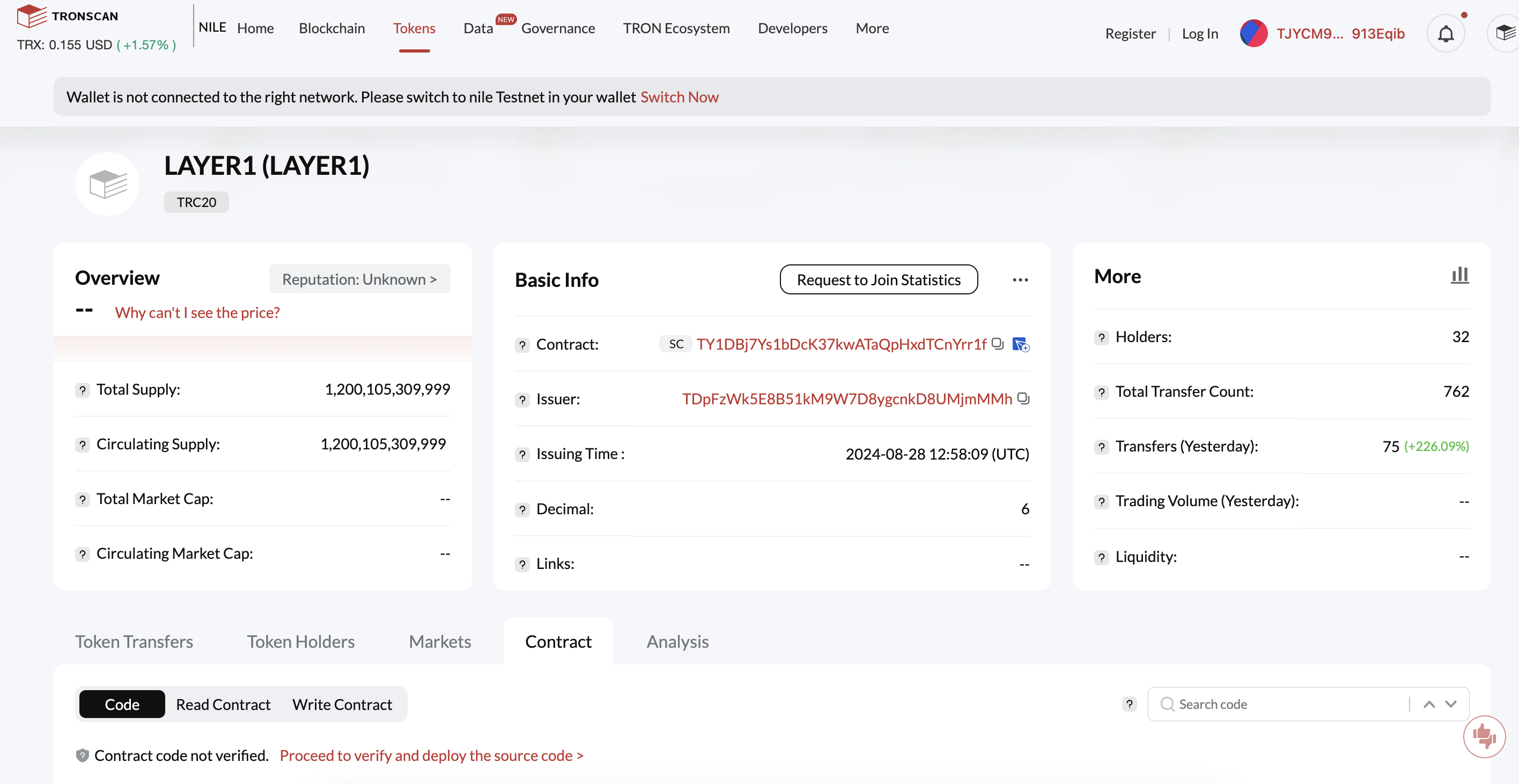
- You will see a Token called "LAYER1", our WickiePay test USDT token, that can be used as USDT (TRC20).
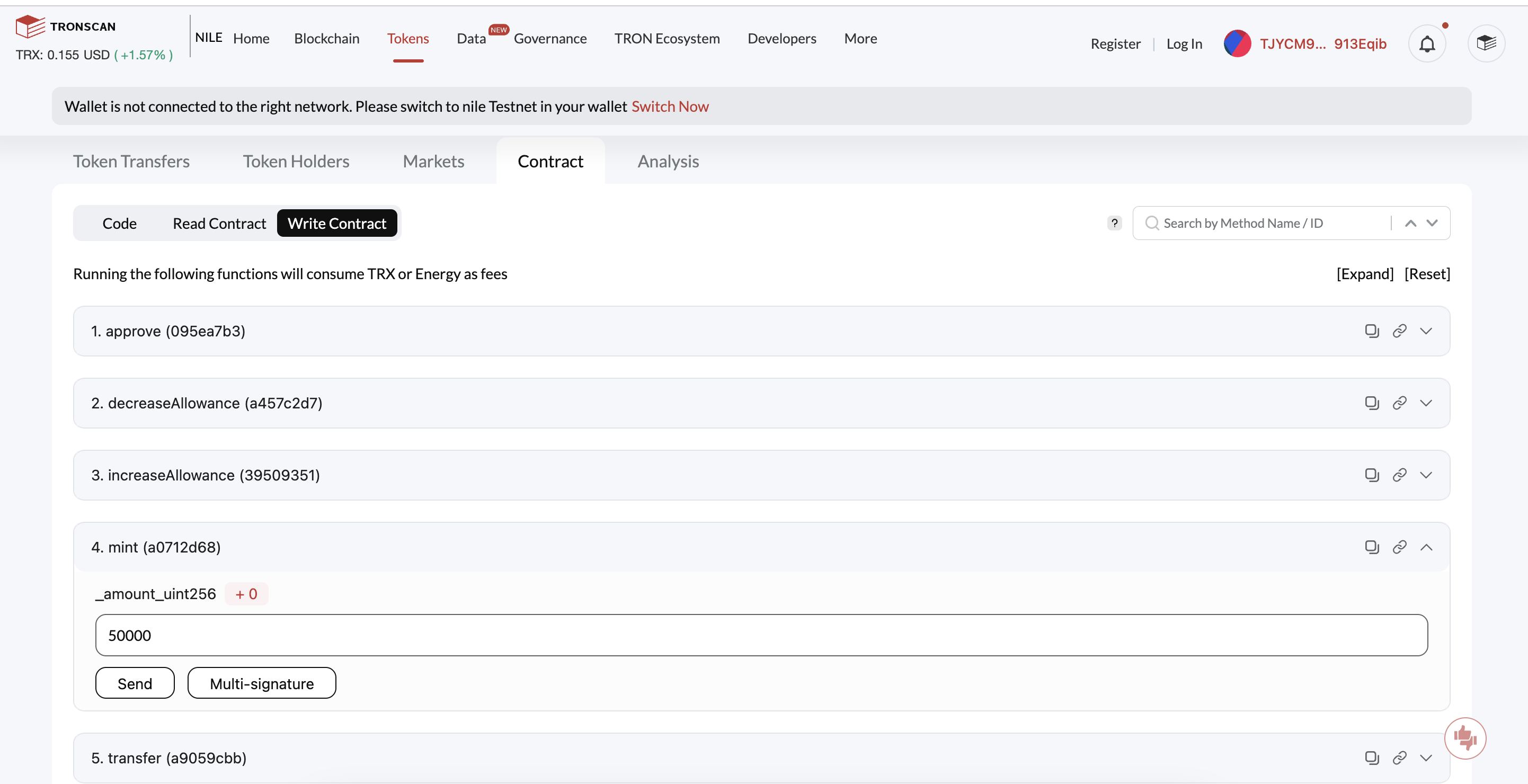
Select this token followed by "contract" and "write contract".
- After selecting "write contract", several functions will be displayed. Select "MINT", enter the amount of tokens you would like to receive (we recommend 50,000 tokens) and select send.
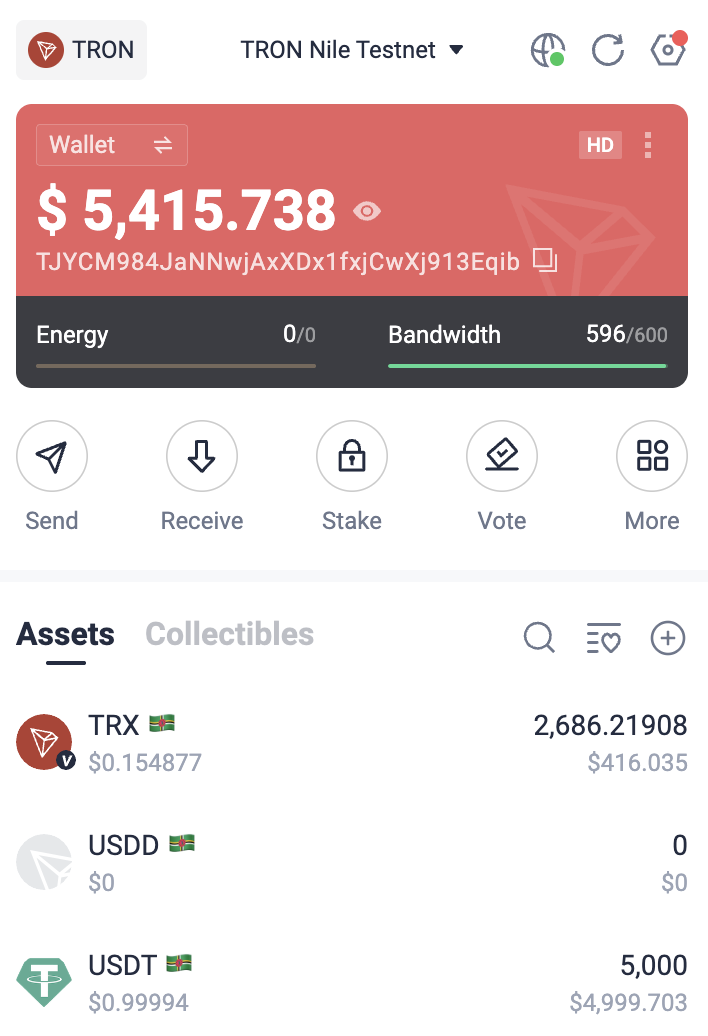
- Once the transaction has been completed, open your TronLink Wallet and select the "+" next to "Assets".
- Now select "LAYER 1" from this list.
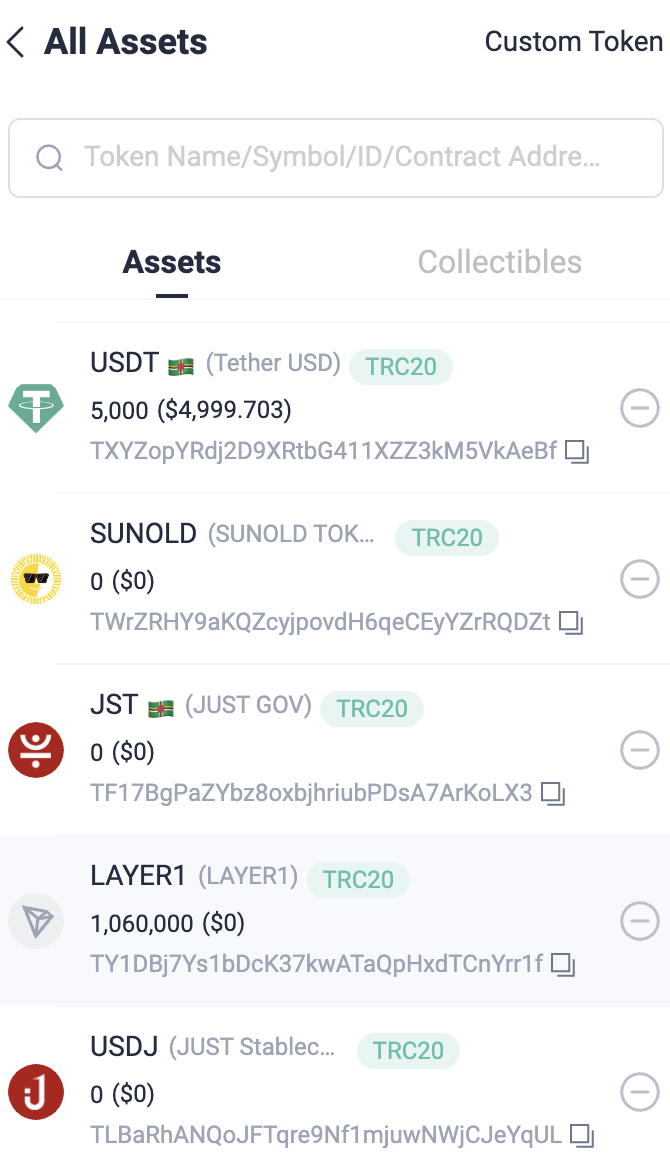
- You now have WickiePay LAYER 1 USDT (TRC20) Testnet tokens available for test transactions.
Updated 7 months ago
Did this page help you?