

Configure webhooks
We covered how to create a webhook listener here in the getting setup guide - if you haven't done this already, go to this step to get ready to receive webhooks.
WickiePay sends a series of webhooks to keep you informed at any time about the funds in your account.
To add webhooks, follow the steps below:
-
Log in to your account.
-
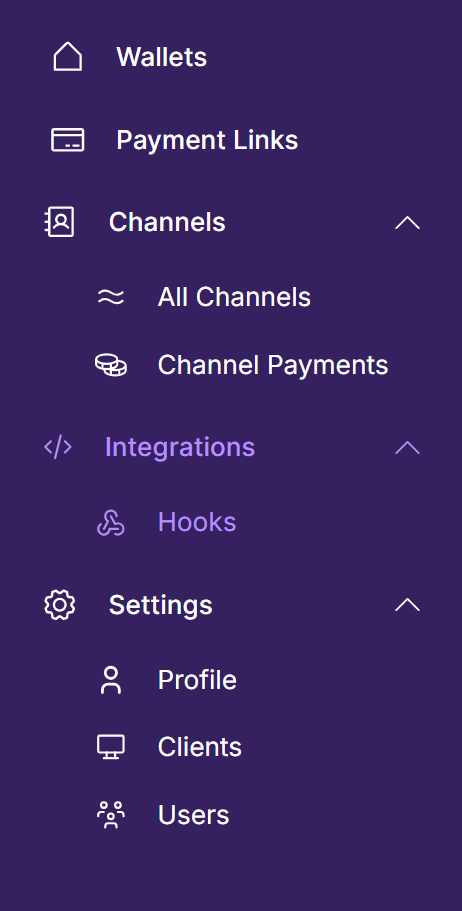
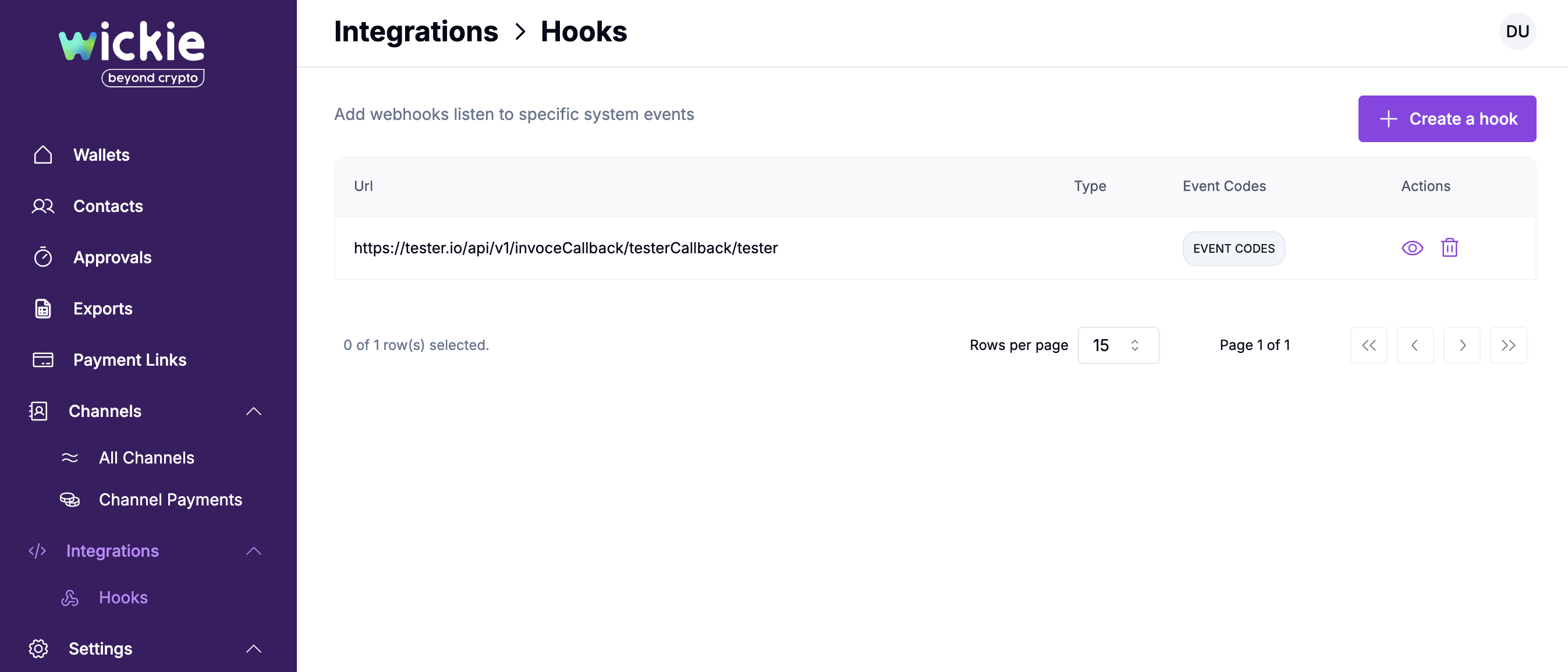
Navigate to the Hooks section.
-
Click Create a hook in the top-right corner.
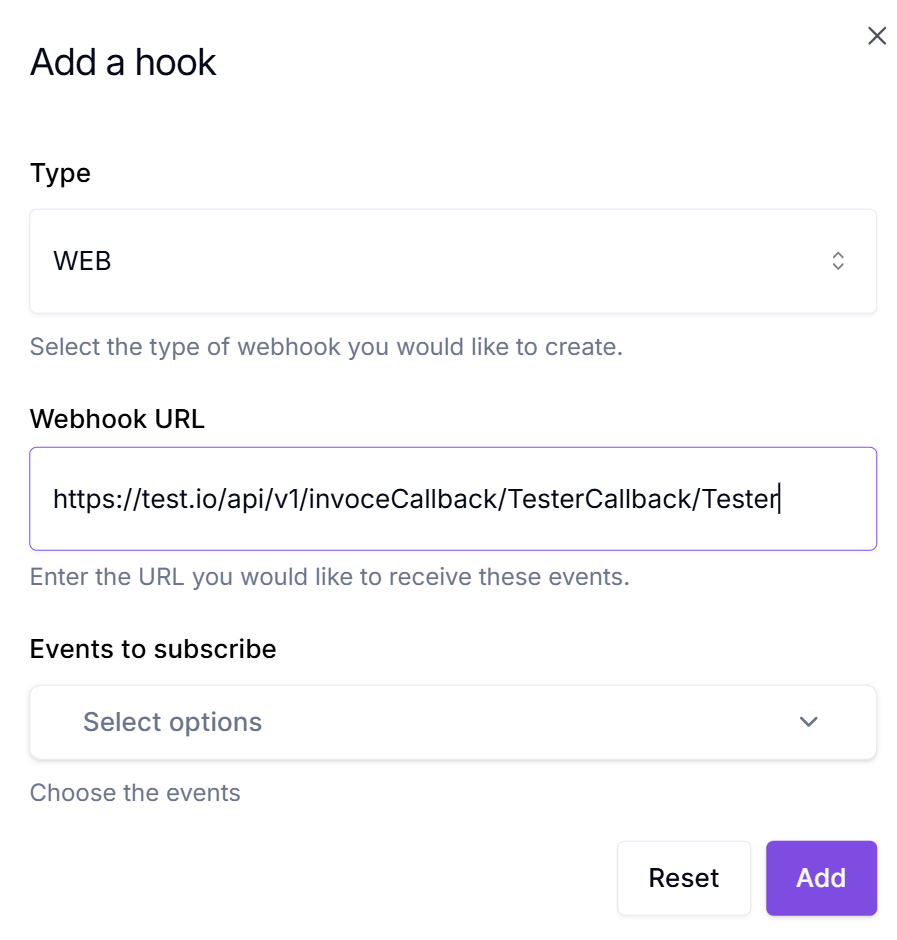
Currently, only "WEB" hooks are available.
-
Enter your Webhook URL.
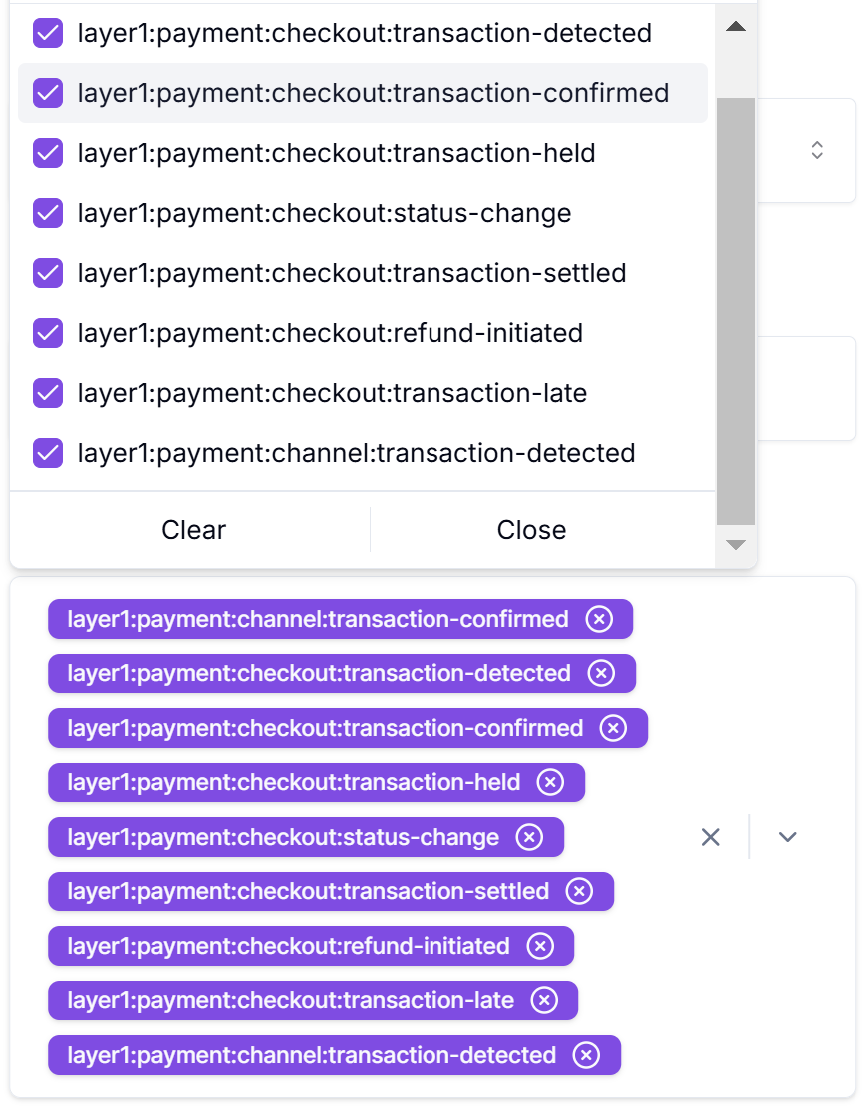
- Select the Events to Subscribe to:
-
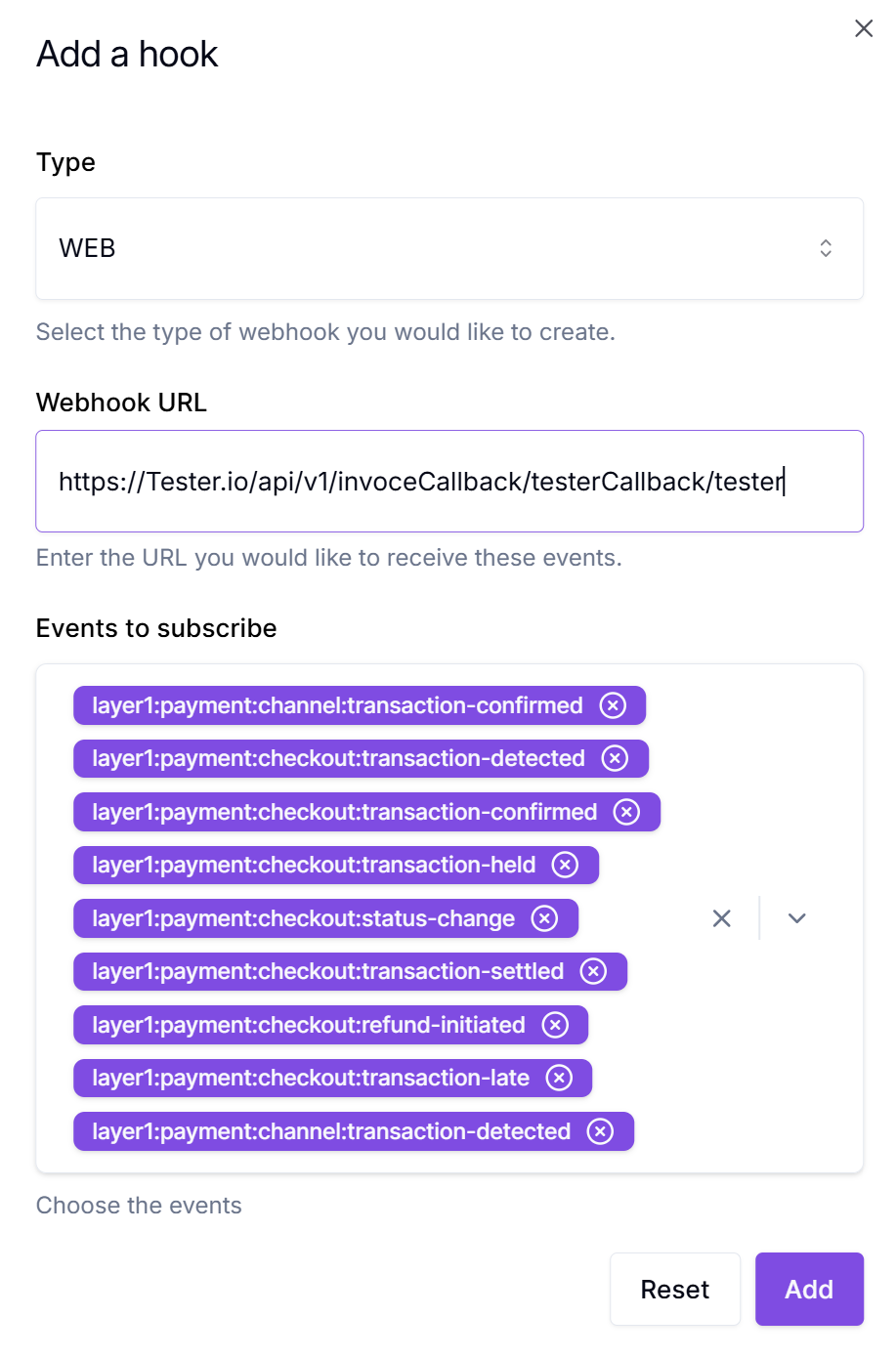
Click Add:
-
You have now added your first webhook.
Updated 7 months ago
Did this page help you?